
OPTIMUS · CMMS
Schedules, work orders, and maintenance history in one system
Preventive and corrective maintenance, scheduling, work orders, checksheets, spare parts, and work history all tied to the same asset.
Platform: OPTIMUS · Maintenance
The problem
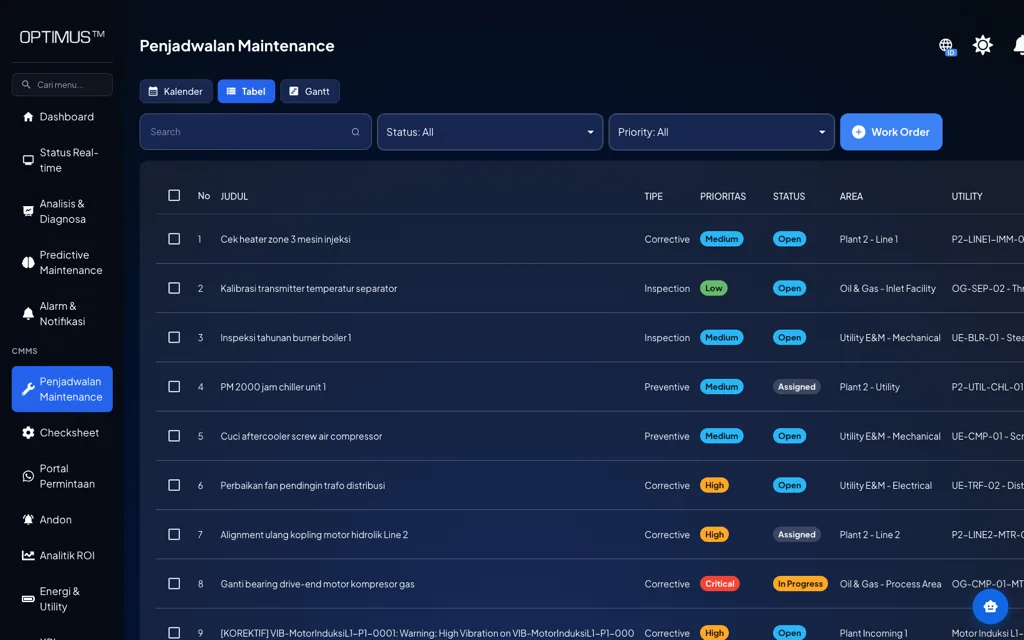
Maintenance work is scattered across too many places
The schedule is in a spreadsheet, repair requests come in by chat, checksheets are on paper, and the work history lives in a senior technician’s head. When a machine acts up, there is no single place to see what has been done to it.
Signs we usually find
- Repair history is hard to trace per asset
- Repair requests get lost or followed up late
- Preventive maintenance compliance is not measured
- Spare parts usage is not linked to the job
Used by
- Maintenance Manager
- Maintenance Planner
- Supervisors & Technicians
- Spare Parts Storeroom Team
Data it reads
- Asset list with area and criticality
- Preventive maintenance plans and intervals
- Spare parts master and technician data
- Alarms and repair requests from the floor
How it works
From the machine to a decision
01
Request / alarm
Where the job comes from
02
Work order
Created & assigned
03
Execute
Checksheet & spare parts
04
History
Saved to the asset
The system
What it looks like on screen
Capabilities
What you can do with it
Preventive maintenance
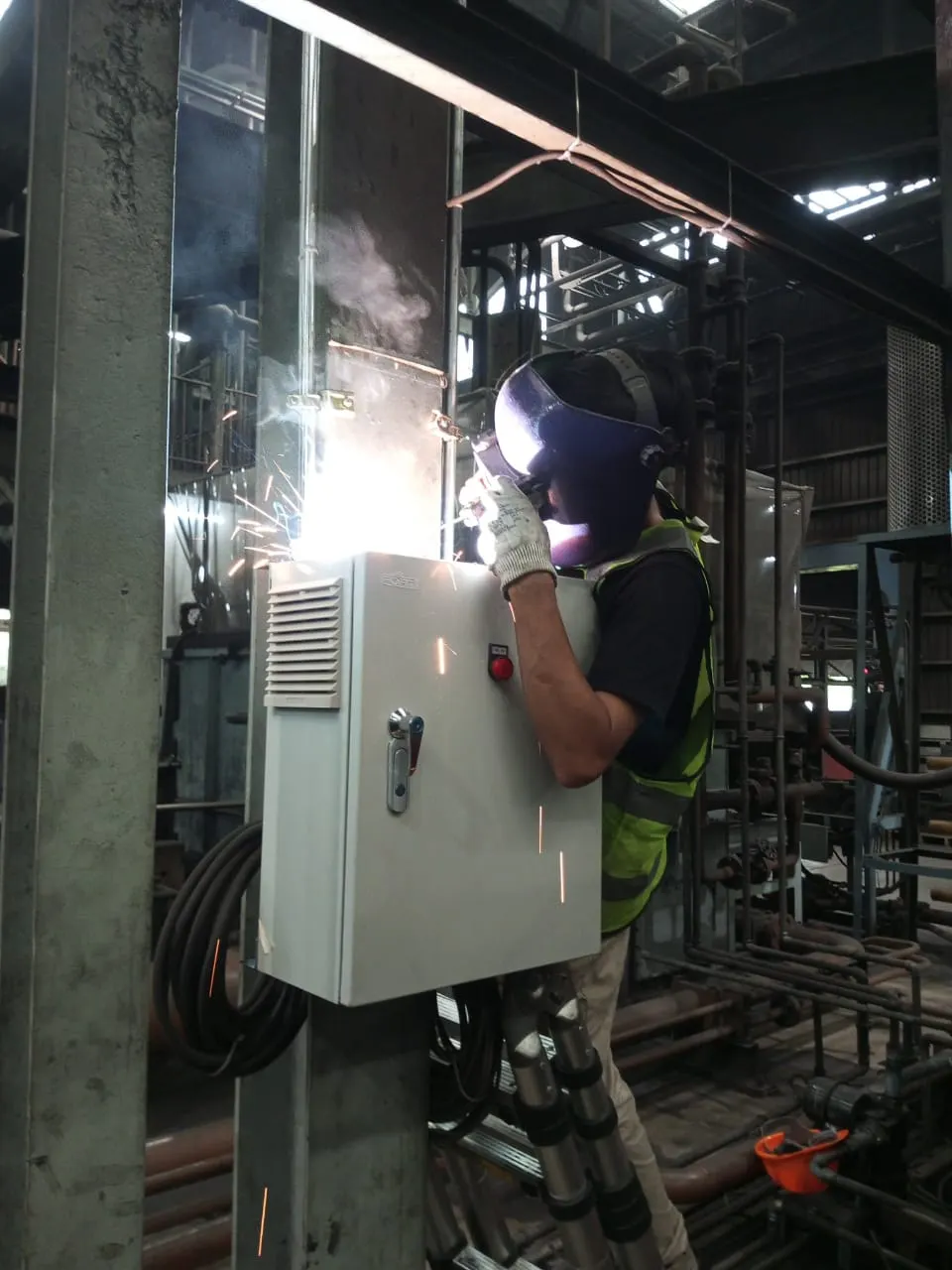
Recurring jobs are generated automatically at the interval you set.
Corrective maintenance
Repairs from alarms or floor requests land in the same queue.
Work orders
Status, priority, assignment, and completion recorded in one place.
Scheduling
The workload is laid out on a calendar, so clashes can be avoided.
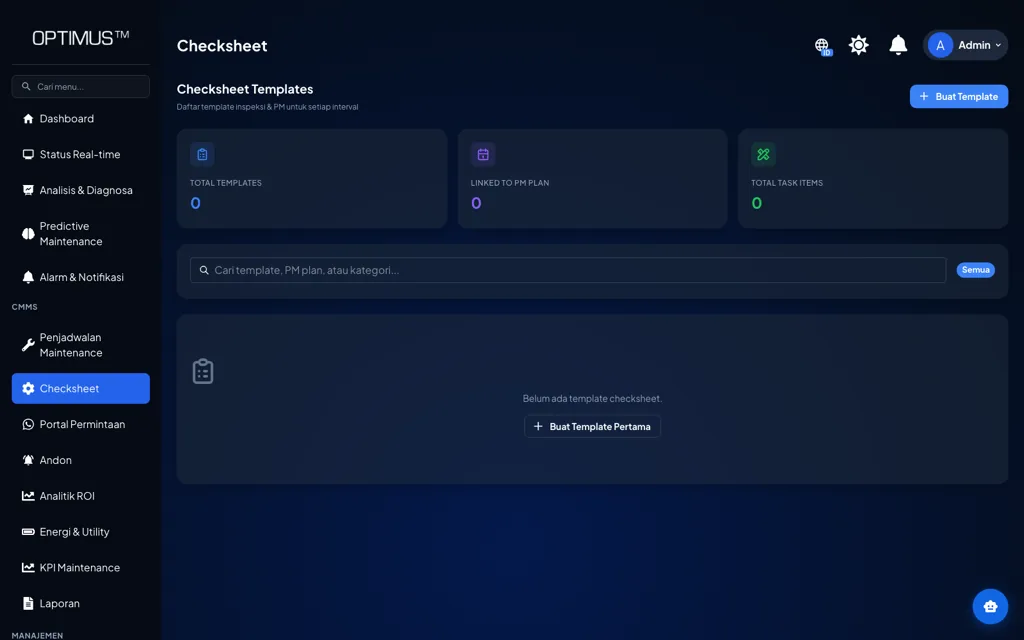
Digital checksheets
Inspections follow a standard format and the results are saved.
Spare parts
Parts usage is linked to the work order and to the asset.
History per asset
Every job ever done on a machine can be traced.
Automation from alarms
Set rules can create a work order directly from asset condition.
On the floor
How it is used day to day
01
Request
Portal or alarm
02
Schedule
Priority & technician
03
Execute
Checksheet & spare parts
04
Close out
Verify & close
05
Analyze
Maintenance KPIs
Impact
Why it matters
01
Know-how no longer lives with one person
A documented work history per asset lets a new technician learn a machine’s past without depending on a senior colleague’s memory.
02
Preventive maintenance compliance you can measure
Planned work against work actually done shows up as a number, not a claim.
03
Spare parts planning based on real usage
Usage tied to each asset gives you a basis for setting minimum stock on critical parts.
Start with this alone
CMMS is the most common starting point because it runs without any added instrumentation. Condition monitoring and predictive maintenance can be added later on the same assets.
In practice
Across different kinds of plants
- Manufacturing
- Run preventive maintenance for every production machine from one calendar.
- Utility & Building
- Manage routine inspections of utility equipment with digital checksheets.
- Oil & Gas
- Trace the work history of process equipment for audits.
- Multi-site
- Standardize work order and checksheet formats across sites.
Integration
It connects to what you already have
No PLC, meter, or ERP needs replacing. Machvory reads from the equipment already installed in your plant.
01
PLCs, sensors, meters
Data at the machine
02
Edge gateway
Acquisition and buffering
03
Machvory integration layer
Modbus, OPC UA, MQTT
04
TNS / OPTIMUS
Analytics and workflow
05
ERP, SAP, BI
Enterprise reporting
- Siemens, Mitsubishi, Omron, Allen-Bradley PLCs
- Modbus TCP and Modbus RTU
- OPC UA
- MQTT
- Power and energy meters
- Vibration, temperature, current sensors
- Existing SCADA and HMI
- ERP and SAP
- REST API and SQL
Next steps
What usually comes next
Start with one need and add the rest when you actually need it.
FAQ
Questions we get a lot
Can the CMMS be used with no sensors at all?
Yes. The CMMS works fully as a maintenance management system with manual input. Sensors add value because some jobs can then be triggered automatically by asset condition, but they are not a prerequisite.
How do technicians get to work orders on the floor?
The interface runs in a browser on a phone or tablet, so checksheets and status updates can be done right at the machine.
Do we have to replace our existing PLCs or machines?
No. Machvory reads from what is already installed over Modbus, OPC UA, MQTT, or a power meter. Where a machine does not expose the data point we need, we add a sensor or gateway to that machine alone rather than touching its controls.
Can it run on-premise, with no cloud?
Yes. It can run entirely on a server inside the plant, in the cloud, or split between the two. The choice usually comes down to your IT/OT policy and what the plant network can carry.
How long does the first implementation take?
It depends on how ready the data points are and how many machines are involved. We normally start with a pilot on one line or a few critical assets to prove out data quality and the workflow, then widen once it holds up on the floor.
Further reading
- Maintenance KPIs: the indicators, the formulas, and how to use them
- Maintenance work orders: what they are, what goes on the form, and the workflow
- Root cause analysis (RCA) in maintenance: 5 Whys, fishbone, and how to run one
- How to calculate MTBF and MTTR, and how to read them correctly
- What is preventive maintenance? Types, scheduling, and limits
- What is a CMMS? Definition, functions, and how to implement one in a plant
Walk Through Your Maintenance Workflow
Our engineers look at your machines and the data you already have, then scope a pilot that is realistic to run.
- No obligation to buy
- A reply within business hours
- WhatsApp works too