
OPTIMUS · PREDICTIVE MAINTENANCE
Use condition data to decide when an asset needs attention
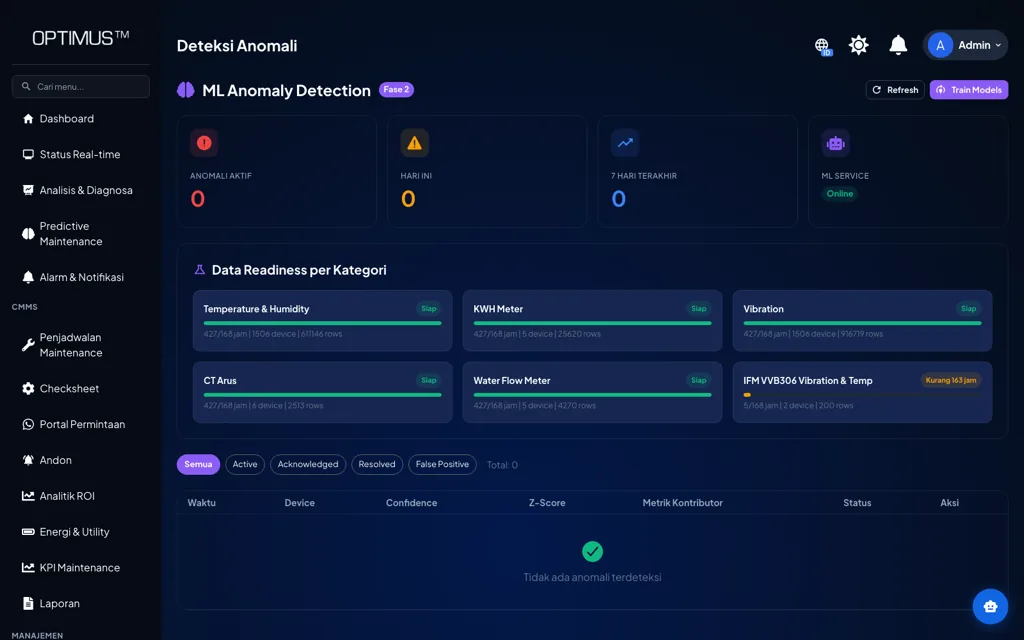
Condition trends, anomaly detection, and maintenance history combined into recommended actions, so the maintenance schedule follows asset condition and not just the calendar.
Platform: OPTIMUS · Asset Reliability
The problem
Maintenance is scheduled by the calendar, not by condition
Interval-based preventive maintenance treats every asset the same. Some machines end up serviced too often, while the ones wearing out faster sit waiting for their next slot.
Signs we usually find
- The same maintenance interval for assets under very different loads
- A change in condition does not change the priority of the work
- Small anomalies go unnoticed until they become a fault
- No data to justify pushing a job back or bringing it forward
Used by
- Reliability Engineer
- Maintenance Manager
- Plant Manager
- Asset Management Team
Data it reads
- Continuous condition data from condition monitoring
- Alarm history and maintenance work history
- How the asset runs: load, running hours, environment
How it works
From the machine to a decision
01
Condition data
Continuous telemetry
02
Baseline
Normal pattern per asset
03
Anomaly detection
Deviations flagged
04
Recommendation
Action & priority
The system
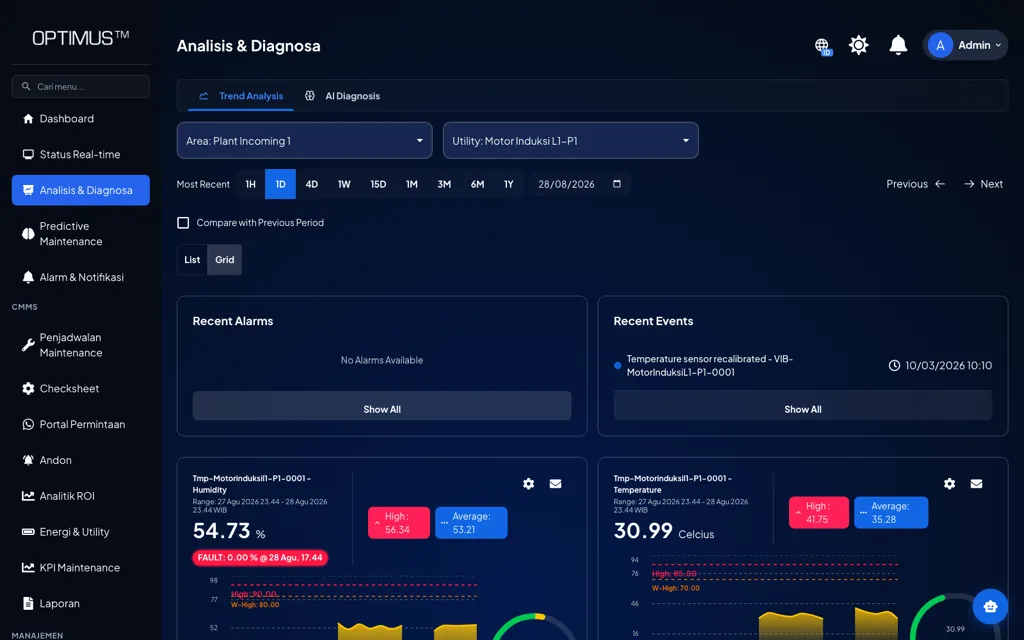
What it looks like on screen
Capabilities
What you can do with it
Condition trends
You see which way condition is moving, not just the current value.
Anomaly detection
Deviations from an asset’s normal pattern are flagged automatically.
History in context
Alarms, past work, and running hours read side by side.
Action priority
Assets ranked by risk, not by the order the reports came in.
Specific recommendations
Findings turned into concrete proposals for an inspection or a repair.
Linked to work orders
A finding can go straight into a scheduled job in the CMMS.
Post-repair check
Condition after the repair compared against condition before it.
Adaptive thresholds per asset
Normal limits follow each asset’s own behavior and operating point.
On the floor
How it is used day to day
01
Anomaly
Detected in the data
02
Diagnose
Engineer reviews it
03
Work order
Job is scheduled
04
Execute
Repair is carried out
05
Verify
Condition is rechecked
Impact
Why it matters
01
Maintenance work driven by condition
Assets in stable condition do not get torn down just because the calendar says so, and assets that are getting worse get attention sooner.
02
Repairs that are planned, not rushed
Planned work needs less downtime and does not force emergency spare parts purchases.
03
Decisions you can explain
Every proposed action comes with supporting data, so maintenance budget discussions run on evidence.
Start with this alone
Predictive maintenance needs condition data, so it usually starts alongside or after condition monitoring. The resulting work can run straight through the OPTIMUS CMMS.
In practice
Across different kinds of plants
- Rotating Equipment
- Flag a gradual rise in bearing vibration before it turns into a fault.
- Utility
- Review compressor condition before deciding on an overhaul.
- Oil & Gas
- Track condition changes on process equipment in critical areas.
- Manufacturing
- Sequence maintenance work across machines by their actual risk.
Integration
It connects to what you already have
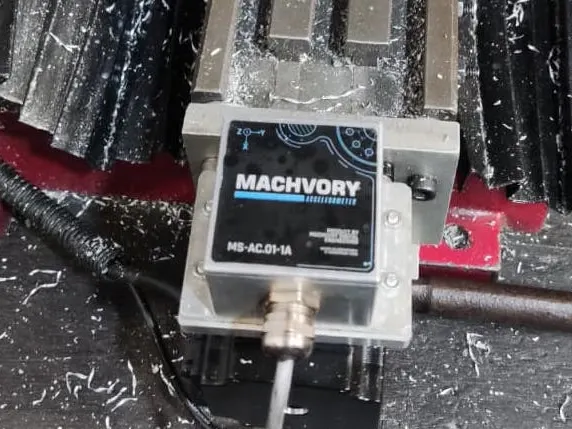
No PLC, meter, or ERP needs replacing. Machvory reads from the equipment already installed in your plant.
01
PLCs, sensors, meters
Data at the machine
02
Edge gateway
Acquisition and buffering
03
Machvory integration layer
Modbus, OPC UA, MQTT
04
TNS / OPTIMUS
Analytics and workflow
05
ERP, SAP, BI
Enterprise reporting
- Siemens, Mitsubishi, Omron, Allen-Bradley PLCs
- Modbus TCP and Modbus RTU
- OPC UA
- MQTT
- Power and energy meters
- Vibration, temperature, current sensors
- Existing SCADA and HMI
- ERP and SAP
- REST API and SQL
Next steps
What usually comes next
Start with one need and add the rest when you actually need it.
FAQ
Questions we get a lot
Does this replace preventive maintenance?
It does not replace it; it adjusts it. Mandatory and regulation-driven jobs stay on their schedule, while work that depends on condition can be brought forward or pushed back based on the data.
How much data do we need before it becomes useful?
Threshold-based alarms are useful from day one. Trend analysis and anomaly detection get sharper once the system has seen the asset run through its range of normal operating conditions.
Does this guarantee every failure gets predicted?
No, and we do not claim it does. What the system does is watch condition continuously, flag changes and anomalies early, and give enough context for the maintenance team to decide on an action before things turn critical. The final call stays with the engineer.
Do we have to replace our existing PLCs or machines?
No. Machvory reads from what is already installed over Modbus, OPC UA, MQTT, or a power meter. Where a machine does not expose the data point we need, we add a sensor or gateway to that machine alone rather than touching its controls.
Can it run on-premise, with no cloud?
Yes. It can run entirely on a server inside the plant, in the cloud, or split between the two. The choice usually comes down to your IT/OT policy and what the plant network can carry.
How long does the first implementation take?
It depends on how ready the data points are and how many machines are involved. We normally start with a pilot on one line or a few critical assets to prove out data quality and the workflow, then widen once it holds up on the floor.
Further reading
- Signs of a failing motor bearing and how to catch it before it seizes
- Why an electric motor runs hot, and what to do about it
- Electric motor vibration standards: ISO 10816, ISO 20816, and how to read them
- What is condition monitoring? Definition, techniques, and how to start in a plant
- Machine vibration analysis: basics, parameters, and how to read the results
- What is predictive maintenance? Definition, techniques, and how to implement it
Plan Condition-Based Maintenance for Your Assets
Our engineers look at your machines and the data you already have, then scope a pilot that is realistic to run.
- No obligation to buy
- A reply within business hours
- WhatsApp works too